Amazon A+ Content Templates: Free Layouts for Every Category
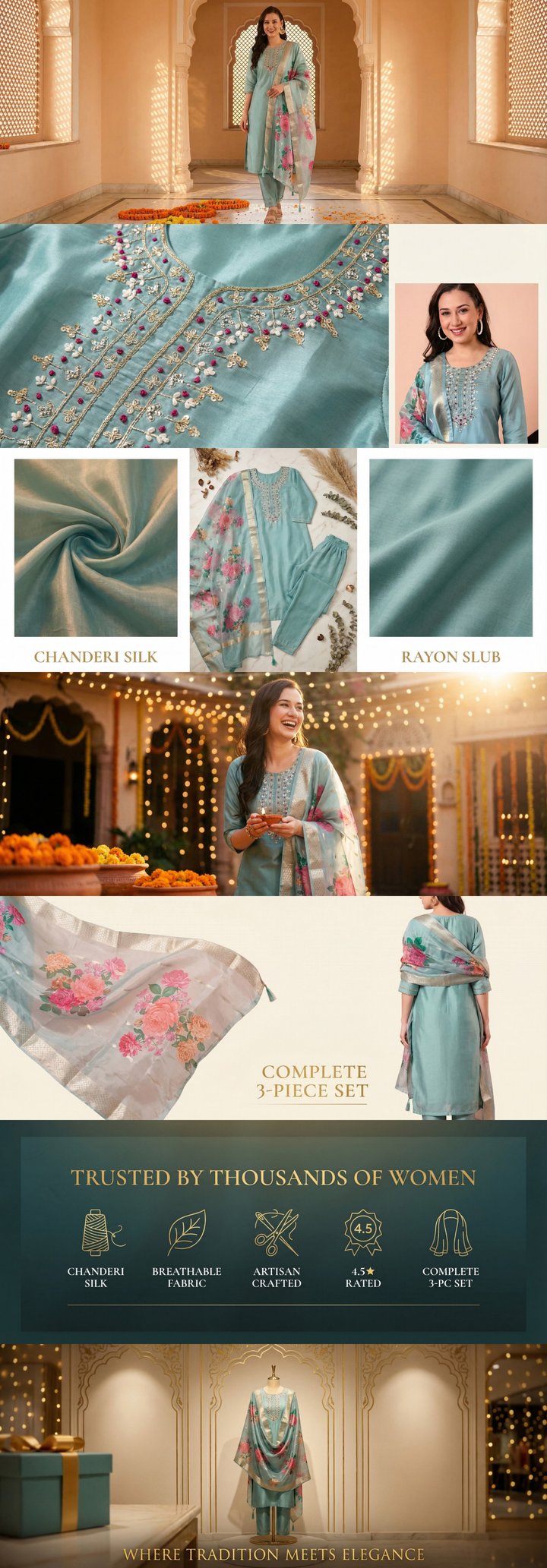 Built by zonfy in 90 seconds
↑ Real output. Try it free →
Table of contents
Why Templates Accelerate A+ Content Creation
Creating A+ Content from scratch for every product is time-intensive. You need to decide which modules to use, how to arrange them, what content goes where, and how images and text work together. For sellers managing dozens or hundreds of SKUs, this process does not scale.
Templates solve this by providing proven module arrangements that you can customize with your product-specific content. Instead of starting from a blank canvas every time, you start with a framework that is already optimized for conversion.
The templates in this guide are based on analysis of top-performing A+ Content across Amazon's major categories. Each layout specifies the module type, image dimensions, content focus, and why that particular arrangement works for the category.
Understanding Amazon's Module Types
Before diving into templates, here is a quick reference of the modules available in Basic A+ Content. For full specifications, see our A+ Content image sizes guide.
Standard Image and Text Modules
- Standard Single Image (970 x 600 px) — One large image with optional text
- Standard Image with Text Overlay (970 x 300 px) — Banner-style with text overlay
- Standard Three Images and Text (300 x 300 px each) — Three images in a row with text below each
- Standard Four Images and Text (220 x 220 px each) — Four-image grid with text
Comparison and Feature Modules
- Standard Comparison Chart (150 x 150 px per product) — Side-by-side product comparison
- Standard Single Image and Highlights (300 x 300 px main + icons) — One image with feature bullets
- Standard Single Image and Sidebar (300 x 400 px + sidebar text) — Image with adjacent text block
Text Modules
- Standard Text — Text-only module for detailed descriptions
- Standard Single Image and Specification Detail — Image with spec table
Template 1: The Universal Starter (Works for Any Category)
This is the safest starting point for any product category. It covers all essential information without requiring category-specific knowledge.
Module Layout
| Order | Module Type | Content Focus |
|---|---|---|
| 1 | Standard Single Image (970x600) | Hero lifestyle image with product in context |
| 2 | Standard Three Images and Text (300x300 each) | Three key features with icons and short descriptions |
| 3 | Standard Single Image (970x600) | Detailed product view with callouts |
| 4 | Standard Single Image and Specification Detail | Material/specs with structured data |
| 5 | Standard Comparison Chart (150x150 per product) | Product variant comparison |
| 6 | Standard Single Image (970x600) | Lifestyle/usage scenario |
| 7 | Standard Single Image (970x600) | Brand story and cross-sell |
Why This Works
The flow follows a natural purchase decision path: attract attention (hero), build interest (features), provide details (specs), aid decision-making (comparison), build trust (lifestyle), and close (brand story). This sequence works regardless of product category because it mirrors how customers process information.
Template 2: Beauty & Skincare
Beauty and skincare A+ Content prioritizes ingredients, before-and-after results, and sensory texture. For our complete beauty-specific strategy guide, see A+ Content for beauty and skincare.
Module Layout
| Order | Module Type | Content Focus |
|---|---|---|
| 1 | Standard Single Image (970x600) | Hero: Product on textured surface with ingredient elements |
| 2 | Standard Four Images and Text (220x220 each) | Key ingredients with individual close-ups |
| 3 | Standard Single Image (970x600) | Application steps: Before, during, after sequence |
| 4 | Standard Three Images and Text (300x300 each) | Texture close-up, packaging detail, size reference |
| 5 | Standard Single Image and Specification Detail | Full ingredient highlights and skin type suitability |
| 6 | Standard Comparison Chart (150x150 per product) | Product variants by skin type or concern |
| 7 | Standard Single Image (970x600) | Brand ethos: Clean beauty, cruelty-free, sustainability |
Key Content Notes
- Lead with ingredients rather than product claims
- Show texture through macro photography
- Include skin-type suitability in the specification module
- Use the comparison chart to guide customers across your product line by skin concern
Template 3: Electronics & Gadgets
Electronics buyers are specification-driven and comparison-focused. For the complete electronics strategy, see our electronics A+ Content guide.
Module Layout
| Order | Module Type | Content Focus |
|---|---|---|
| 1 | Standard Single Image (970x600) | Hero: Product in use with tech-forward aesthetic |
| 2 | Standard Single Image and Highlights (300x300 + bullets) | Primary feature with 4-5 specification highlights |
| 3 | Standard Three Images and Text (300x300 each) | Three use cases or connectivity scenarios |
| 4 | Standard Single Image (970x600) | Exploded view or internal component showcase |
| 5 | Standard Single Image and Specification Detail | Full technical specifications table |
| 6 | Standard Comparison Chart (150x150 per product) | Model comparison across your product line |
| 7 | Standard Single Image (970x600) | What is in the box + compatibility ecosystem |
Key Content Notes
- Always include a what-is-in-the-box module — electronics buyers want to know exactly what they are getting
- Use exploded views or transparent renders to show internal quality
- Comparison charts should highlight specs that differentiate models (battery life, storage, processing power)
- Include compatibility information prominently (OS support, connector types, wireless standards)
Try zonfy free
Generate Amazon A+ Content in 90 seconds
7 professional A+ images (1464×600 desktop + 600×450 mobile) sized exactly for Seller Central. Built from your product photos in 90 seconds.
Generate A+ Content →Your first generation is free. No credit card required.
Template 4: Home & Kitchen
Home and kitchen products need lifestyle context and precise dimensions. See our dedicated home and kitchen A+ Content guide for detailed strategies.
Module Layout
| Order | Module Type | Content Focus |
|---|---|---|
| 1 | Standard Single Image (970x600) | Hero: Product in styled kitchen or home setting |
| 2 | Standard Four Images and Text (220x220 each) | Four key features: Material, design, function, durability |
| 3 | Standard Single Image (970x600) | Dimensions and size visualization with scale reference |
| 4 | Standard Three Images and Text (300x300 each) | Three usage scenarios showing versatility |
| 5 | Standard Single Image and Specification Detail | Materials, care instructions, certifications |
| 6 | Standard Comparison Chart (150x150 per product) | Size or variant comparison |
| 7 | Standard Single Image (970x600) | Brand lifestyle: Full collection in coordinated setting |
Template 5: Food & Grocery
Food products need to communicate taste, quality, and sourcing through visual cues. For the full category guide, see A+ Content for food and grocery.
Module Layout
| Order | Module Type | Content Focus |
|---|---|---|
| 1 | Standard Single Image (970x600) | Hero: Product with fresh ingredients and appetite appeal |
| 2 | Standard Three Images and Text (300x300 each) | Sourcing story: Farm, process, and finished product |
| 3 | Standard Four Images and Text (220x220 each) | Flavor varieties or recipe suggestions |
| 4 | Standard Single Image (970x600) | Nutritional or certification highlights (organic, non-GMO) |
| 5 | Standard Single Image and Specification Detail | Nutrition facts, allergen info, serving suggestions |
| 6 | Standard Comparison Chart (150x150 per product) | Flavor or size variant comparison |
| 7 | Standard Single Image (970x600) | Brand story: Family farm, artisan process, heritage |
Template 6: Fashion & Clothing
Fashion A+ needs to convey fit, material, and styling versatility. See our fashion A+ Content guide for detailed strategies.
Module Layout
| Order | Module Type | Content Focus |
|---|---|---|
| 1 | Standard Single Image (970x600) | Hero: Model wearing product in lifestyle context |
| 2 | Standard Three Images and Text (300x300 each) | Fabric close-up, stitching detail, hardware detail |
| 3 | Standard Single Image (970x600) | Size guide with measurement diagram |
| 4 | Standard Four Images and Text (220x220 each) | Four styling options or outfit pairings |
| 5 | Standard Single Image and Specification Detail | Material composition, care instructions, fit details |
| 6 | Standard Comparison Chart (150x150 per product) | Style or fit variant comparison |
| 7 | Standard Single Image (970x600) | Brand lifestyle: Collection showcase |
Template 7: Supplements & Vitamins
Supplements require a trust-first approach with heavy emphasis on certifications and ingredients. For category-specific strategies, see our supplements and vitamins A+ Content guide.
Module Layout
| Order | Module Type | Content Focus |
|---|---|---|
| 1 | Standard Single Image (970x600) | Hero: Product with natural ingredient backdrop |
| 2 | Standard Single Image and Highlights (300x300 + bullets) | Key ingredient with dosage and sourcing details |
| 3 | Standard Three Images and Text (300x300 each) | Three benefits with scientific-style imagery |
| 4 | Standard Single Image (970x600) | Certifications: GMP, third-party tested, organic, etc. |
| 5 | Standard Single Image and Specification Detail | Full supplement facts and ingredient transparency |
| 6 | Standard Comparison Chart (150x150 per product) | Product lineup by health goal |
| 7 | Standard Single Image (970x600) | Brand trust: Lab, team, or quality process |
Template 8: Toys & Baby Products
Safety and developmental value drive purchase decisions in this category. See our toys and baby products A+ Content guide.
Module Layout
| Order | Module Type | Content Focus |
|---|---|---|
| 1 | Standard Single Image (970x600) | Hero: Child happily engaging with product |
| 2 | Standard Four Images and Text (220x220 each) | Safety certifications, materials, age range, educational value |
| 3 | Standard Single Image (970x600) | Developmental benefits with age-milestone context |
| 4 | Standard Three Images and Text (300x300 each) | Three play scenarios or learning activities |
| 5 | Standard Single Image and Specification Detail | Dimensions, weight limits, material safety standards |
| 6 | Standard Comparison Chart (150x150 per product) | Age-range product comparison across your line |
| 7 | Standard Single Image (970x600) | Brand safety commitment and parent testimonial approach |
How to Customize These Templates
Step 1: Select Your Category Template
Choose the template closest to your product category. If your product spans categories (a kitchen gadget that is also an electronics device), blend the most relevant modules from each template.
Step 2: Adapt the Content Focus
The content focus column in each template is a guide, not a rule. Adjust based on your specific product's selling points. If your kitchen product's biggest differentiator is its patented material, swap the hero image to focus on that rather than a generic lifestyle shot.
Step 3: Create Images to Spec
Using the dimensions specified for each module type, create or generate your images. Ensure every image meets Amazon's requirements — correct dimensions, RGB color mode, under 5MB, no prohibited content.
For a comprehensive breakdown of image requirements, reference our image specifications guide.
Step 4: Write Module Copy
For modules that include text fields, write concise, benefit-focused copy. Amazon's A+ text fields have character limits, so every word matters:
- Lead with the benefit, support with the feature
- Use short sentences and bullet-point thinking
- Avoid Amazon-prohibited language (see our compliance guide)
Step 5: Review and Submit
Preview your A+ Content in both desktop and mobile views before submitting. Pay attention to:
- Text readability on mobile
- Image quality at actual display size
- Module flow and narrative coherence
- Compliance with Amazon's content guidelines
Scaling Templates Across Your Catalog
For sellers with large catalogs, the real power of templates is scalability. Here is how to use them efficiently across many SKUs:
Create category-level templates. If you sell 30 kitchen products, create one refined kitchen template and adapt it for each SKU. The module structure stays the same; only the images and copy change.
Build image asset libraries. Create reusable assets — branded backgrounds, icon sets, font styles — that maintain consistency across your catalog.
Use AI generation for scale. Tools like zonfy can generate complete 7-image A+ sets for each product, maintaining template consistency while customizing content for individual SKUs. This is particularly valuable for sellers managing 50+ ASINs who cannot afford custom design for every listing.
Document your template standards. Create an internal style guide that specifies your brand colors, fonts, image treatments, and content voice. This ensures consistency whether you, a team member, or a freelancer is creating the content.
Which Template Performs Best?
Based on conversion data across categories:
- Comparison chart placement matters most. Templates that include a comparison chart consistently outperform those without one, regardless of category.
- Hero images set the tone. Listings where the first module is a high-quality lifestyle image convert better than those leading with feature grids or text.
- Specification modules reduce returns. Templates that include detailed specification modules show lower return rates, which improves profitability even if conversion rates are similar.
- Brand story modules increase repeat purchases. The final brand story module does not significantly impact first-purchase conversion, but it correlates with higher repeat purchase rates.
The Universal Starter template (Template 1) is the most battle-tested framework. If you are unsure which template to use, start there and refine based on your category's unique requirements.
For a broader overview of A+ Content creation, start with our step-by-step guide to creating A+ Content that converts.