7 Amazon Product Gallery Images That Convert: Slot-by-Slot Strategy
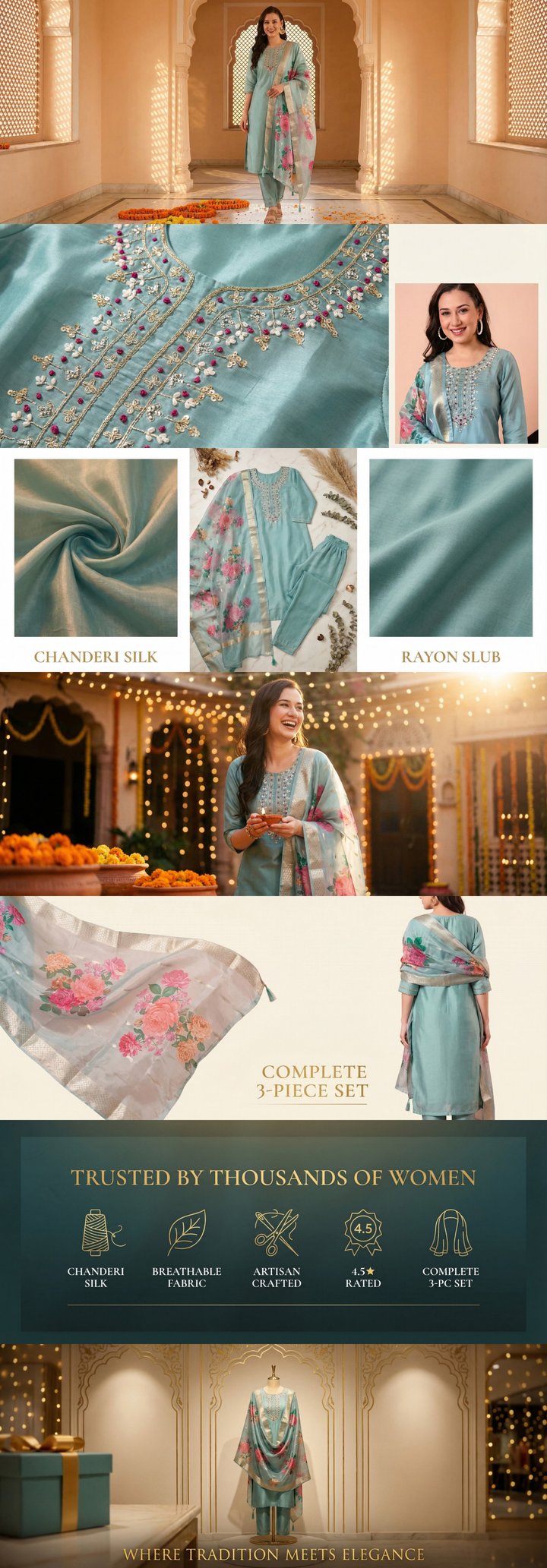 Built by zonfy in 90 seconds
↑ Real output. Try it free →
Table of contents
Why Your Product Gallery Is the Most Important Real Estate on Amazon
Your product gallery images are the single most influential element of your Amazon listing. Before a shopper reads your title, scans your bullets, or scrolls to your A+ Content, they swipe through your images. Amazon's internal data shows that listings utilizing all available image slots see up to 30% higher engagement compared to those using only 3-4 images.
That engagement translates directly into money. A well-crafted image gallery reduces the friction between a shopper landing on your listing and clicking "Add to Cart." It answers questions, builds trust, and communicates value — all without requiring the shopper to read a single word.
In 2026, with over 70% of Amazon traffic coming from mobile devices, your images are not just supplementary content. They are your primary sales tool. Mobile shoppers swipe through images with their thumb and make purchase decisions based almost entirely on what they see. If your gallery is incomplete, poorly designed, or fails to communicate key selling points visually, you are leaving significant revenue on the table.
The 9-Slot Framework: How Amazon Structures Your Gallery
Amazon allows up to 9 image slots for most categories: 7 standard images, 1 video slot, and 1 additional slot that varies by category. The first slot is your main image (which follows strict white background requirements), and the remaining slots are your secondary or "lifestyle" images where you have creative freedom.
Here is what the data tells us about slot utilization:
- 1-3 images: Baseline performance, high bounce rate, signals low seller investment
- 4-5 images: Moderate improvement, but shoppers still have unanswered questions
- 6-7 images: Sweet spot for most categories, covers major buyer concerns
- 8-9 images (with video): Maximum engagement, 28-35% higher detail page views
The key insight is that each slot has a specific job to do. Filling all 7 image slots with random lifestyle photos is not a strategy — it is wasted opportunity. Each image should answer a distinct question that moves the shopper closer to purchase.
Slot-by-Slot Strategy: The Optimal 7-Image Sequence
After analyzing thousands of top-performing Amazon listings across multiple categories, a clear pattern emerges in how bestsellers structure their image galleries. Here is the recommended sequence, with the reasoning behind each slot.
Slot 1: Main Image (Pure White Background)
Your main image is the only image shoppers see before they click into your listing. It appears in search results, category pages, sponsored ad placements, and "Frequently Bought Together" sections. This image single-handedly determines your click-through rate (CTR) from search.
Requirements:
- Pure white background (RGB 255, 255, 255)
- Product fills 85% or more of the frame
- No text, badges, logos, or props
- Minimum 1600px on the longest side (2000px recommended for zoom)
- JPEG, PNG, or TIFF format
- Professional product photography (no renders or illustrations for most categories)
Best practices:
- Shoot at a slight angle (15-20 degrees) to add dimension
- Ensure clean shadow or no shadow — avoid harsh, distracting shadows
- Show the full product including accessories that are included in the purchase
- If selling a multi-pack, show all items with the quantity clearly visible
- Use the highest resolution possible to enable Amazon's zoom feature
Your main image CTR typically ranges from 1-5% depending on category. Moving from a mediocre main image to an optimized one can double your CTR, which effectively doubles the traffic to your listing without spending an additional dollar on advertising.
Slot 2: Lifestyle / In-Use Image
The second image should immediately show the product in context. After seeing the product on white, the shopper's next question is: "What does this look like in real life?"
This image should feature a person using the product in a natural, aspirational setting. The key word is aspirational — the setting, lighting, and model should represent the lifestyle your target customer identifies with.
Best practices:
- Use natural lighting and realistic settings (kitchen, gym, office, outdoors)
- Feature a model that represents your target demographic
- Show the product being actively used, not just held
- Keep the background complementary but not distracting
- Ensure the product remains the clear focal point
For products that are not typically "used" by a person (storage containers, wall art, hardware), show the product in its intended environment instead. A storage organizer in a clean, well-lit closet. A wall art piece in a styled living room. Context is king.
Slot 3: Infographic / Key Features
This is your workhorse image — the one that communicates the most information in a single frame. Infographic images overlay text callouts, icons, and dimension lines directly onto the product photo to highlight key features and specifications.
Design rules:
- Limit to 4-6 callout points (more creates visual clutter)
- Use a clean sans-serif font at 24px minimum (critical for mobile readability)
- Maintain consistent brand colors for backgrounds and accent elements
- Use thin leader lines from text to product features
- Include specific numbers: "24oz capacity," "8-hour battery," "3mm thick"
The infographic image is where you bridge the gap between what the shopper can see and what they need to know. Dimensions, materials, key specs, and standout features should all be communicated here.
Common mistake: Cramming 10+ features into a single infographic. If you have that many selling points, split them across two infographic-style images (slots 3 and 5, for example).
Slot 4: Scale / Dimensions Image
One of the top reasons for Amazon returns is "item was not as expected" — and much of that comes from size misunderstandings. The scale image solves this problem directly.
Approaches:
- Show the product next to a universally recognized reference object (hand, coin, phone, water bottle)
- Include precise dimension callouts with arrows (length x width x height)
- If selling apparel, show a fit model with height and size noted
- For furniture or large items, show the product in a room setting with recognizable furniture for scale
This image also reduces your return rate. Amazon's data shows that listings with clear dimension visuals experience 10-20% fewer size-related returns, which directly impacts your profitability and seller metrics.
Slot 5: Comparison / Versus Image
The comparison image addresses the "why should I choose this over the alternatives?" question. There are two effective approaches:
Variant comparison. If you sell multiple sizes, colors, or versions, create a clean comparison grid showing each option with its key differentiator. This is especially powerful for products with a "good, better, best" tiered lineup.
Competitive differentiation. Without naming competitors, create a "Brand X vs. Others" or "What makes ours different" comparison. Use checkmarks and X marks to highlight feature advantages. This approach is particularly effective in commoditized categories.
Design tips:
- Use a clean table or grid layout
- Limit comparison to 5-6 criteria
- Highlight your product's column with a subtle background color or border
- Keep text concise — single words or short phrases
- Bold your product name or use "Ours" as the column header
Slot 6: What's in the Box / Package Contents
The unboxing image sets accurate expectations and communicates value by showing everything the customer will receive. This is especially important when your product includes accessories, manuals, carrying cases, or bonus items that are not visible in the main image.
Best practices:
- Lay out all included items in a flat-lay arrangement on a clean background
- Label each item with a text callout
- Include quantities when applicable ("2x replacement filters included")
- If packaging is premium, show the box itself as part of the layout
- For gift-oriented products, emphasize the presentation quality
This image also protects you from negative reviews. When a customer knows exactly what to expect, they are far less likely to leave a "missing items" or "different than expected" review.
Slot 7: Social Proof / Trust Image
Your final static image should reinforce the purchase decision with social proof, certifications, or guarantee messaging.
Effective approaches:
- Feature a compelling customer quote (from your actual reviews) with a star rating
- Display relevant certifications (FDA-approved, USDA Organic, BPA-free, UL-listed)
- Show press mentions or awards if applicable
- Include a satisfaction guarantee or warranty badge
- For food/supplements, display ingredient highlights or lab testing badges
Design note: Amazon's TOS prohibits fake reviews and misleading claims. Only use real customer quotes and verified certifications. Avoid "Amazon's Choice" or "#1 Best Seller" badges in your images, as Amazon considers this a manipulation of their badges.
Try zonfy free
Generate Amazon A+ Content in 90 seconds
7 professional A+ images (1464×600 desktop + 600×450 mobile) sized exactly for Seller Central. Built from your product photos in 90 seconds.
Generate A+ Content →Your first generation is free. No credit card required.
Mobile-First Image Design Rules
With 70%+ of Amazon traffic on mobile in 2026, designing for mobile is not optional — it is the default. Here are the non-negotiable rules for mobile-optimized gallery images.
Text Size and Readability
Minimum 24px font size for all text. This is the most common mistake sellers make. Text that looks perfectly readable on a desktop monitor becomes illegible on a 6-inch phone screen. Remember that Amazon's mobile app displays images at roughly 375px wide — your 2000px image gets compressed dramatically.
- Use sans-serif fonts exclusively (Arial, Helvetica, Montserrat, Open Sans)
- Bold weight for headlines, regular weight for supporting text
- High contrast between text and background (dark text on light, or white text on dark overlay)
- Never place text smaller than 18px on any image, and prefer 24px+
Single Focal Point Per Image
On mobile, shoppers swipe quickly. Each image gets 1-3 seconds of attention. Design each image around a single focal point — one main message, one primary visual element.
- Avoid cluttered compositions with multiple competing elements
- Use generous white space to direct the eye
- Center the most important information vertically (the middle third of the image is the mobile "hot zone")
- Test your images at 375px width on your phone before finalizing
Aspect Ratio Optimization
Amazon's standard product image aspect ratio is 1:1 (square), but images up to 1:1.25 (slightly tall) can work well in the gallery. For the main image, a 1:1 ratio maximizes the visible area in search results grids.
Key dimensions to design for:
- Main image: 2000 x 2000px (1:1 ratio)
- Secondary images: 2000 x 2000px or 1600 x 2000px
- Never go below 1000px on any side
Video Best Practices: The 8th Slot That Outperforms
Amazon allows one video slot in most categories (Brand Registry required). Video is the most underutilized gallery element, and listings with video see measurably higher conversion rates — Amazon reports up to 9.7% increase in sales for listings with video content.
Video Length and Format
- Optimal length: 15-30 seconds. Amazon's data shows that completion rates drop significantly after 30 seconds. Keep it tight.
- First 3 seconds are critical. Your opening frame must hook the viewer immediately. Start with the product in action — no logos, no intros, no slow fades. Show the product solving a problem in the very first frame.
- Format: MP4, 1920x1080 minimum, 16:9 aspect ratio
- File size: Under 500MB
Video Content Structure
For a 30-second product video, follow this proven structure:
- 0-3s: Hook — product solving the core problem or hero shot in use
- 3-10s: Key features demonstrated visually (not narrated)
- 10-20s: Lifestyle application — product in real-world context
- 20-27s: Differentiators — what makes this product unique
- 27-30s: Brand logo and product shot
Captions Are Mandatory
Over 85% of Amazon video views happen with sound off (mobile autoplay in the gallery is muted by default). Every single piece of information in your video must be communicated visually through:
- On-screen text captions for all narration
- Text callouts highlighting features as they appear
- Clear visual demonstrations that work without audio context
Documented CTR and CVR Impact Data
Here is what the data shows about image gallery optimization impact on key metrics:
Click-Through Rate (CTR) Impact
- Optimized main image vs. basic product photo: +20-40% CTR improvement
- This translates directly to more sessions at the same ad spend
- A/B testing via Amazon Manage Your Experiments consistently shows main image as the #1 CTR lever
Conversion Rate (CVR) Impact
- 7 images vs. 3 images: +12-25% conversion rate improvement
- Adding video to gallery: +5-9.7% conversion rate improvement
- Infographic images vs. lifestyle-only gallery: +8-15% conversion rate improvement
- Clear dimension/scale images: 10-20% reduction in size-related returns
Combined Revenue Impact
For a listing generating 1,000 sessions per month at a 10% conversion rate (100 units) with a $25 ASP:
- Before optimization: $2,500/month
- After full gallery optimization (+20% CVR): $3,000/month
- Annual revenue lift: $6,000 from image optimization alone
And that calculation does not account for the CTR improvements driving additional traffic, or the compounding effect of better conversion rates on organic ranking.
Common Image Gallery Mistakes
Using manufacturer-provided images. Every reseller of your product has access to the same images. Custom photography is the only way to differentiate your listing visually.
Inconsistent branding. Your 7 images should feel like they belong together. Use consistent fonts, colors, layout styles, and photography treatment across all secondary images.
Text-heavy infographics designed for desktop. An infographic with 8-point font and 12 callouts looks great on a 27-inch monitor and is completely useless on a phone screen. Design for mobile first.
Ignoring the image sequence. Shoppers swipe left-to-right (or top-to-bottom on desktop). Your images should tell a logical story that builds from introduction to purchase decision.
Low resolution. Amazon's zoom feature requires a minimum of 1600px on the longest side, but 2000px is recommended. If your image does not zoom, shoppers assume the product quality is low.
Lifestyle images without context. A model holding your product against a plain colored backdrop is not a lifestyle image. Show the product being used in its natural environment with genuine context.
Building Your Image Strategy
Start with your three highest-traffic ASINs. Audit each one against the 7-slot framework outlined above. Identify which slots are missing or underperforming, and prioritize the gaps that address your most common customer questions.
If you are using zonfy.app to generate your A+ Content, the same visual strategy principles apply to your below-the-fold content. The gallery and A+ Content should work together as a unified visual sales funnel — the gallery converts browsers into serious shoppers, and the A+ Content closes the deal.
Measure your baseline conversion rate before making changes, implement the new gallery, and check results after 2-4 weeks of stable traffic. The data will speak for itself.