Amazon Listing Generator: Create a Complete Listing in 90 Seconds
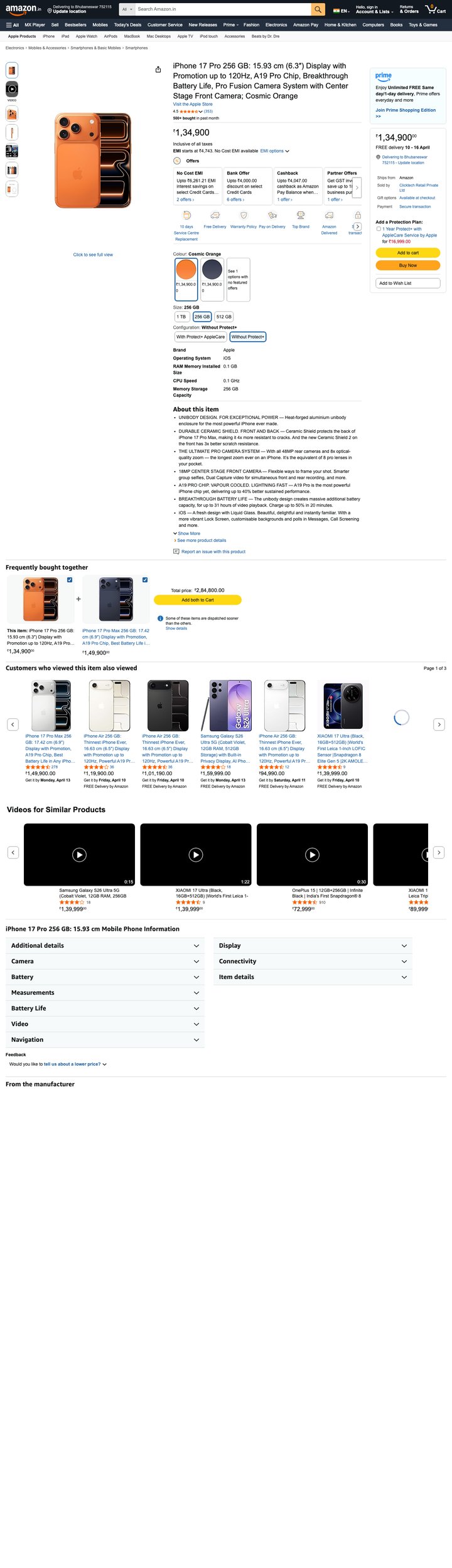 Built by zonfy in 90 seconds
↑ Real output. Try it free →
Table of contents
The Problem With Creating Amazon Listings Manually
Creating an Amazon product listing from scratch is one of the most time-intensive tasks a seller faces. A single fully optimized listing requires:
- Keyword research: 2-4 hours of reverse ASIN analysis, search volume analysis, and keyword categorization
- Title writing: 30-60 minutes of crafting a title that includes primary keywords, stays within character limits, follows Amazon's 2025 formatting rules, and reads naturally
- Bullet points: 1-2 hours of writing five benefit-driven bullets that cover the 1,000-byte indexing budget, address customer objections, and include secondary keywords
- Product description: 30-60 minutes of writing a 2,000-character description using the PAS or FAB framework while incorporating semantic keywords
- Backend search terms: 30-60 minutes of condensing your remaining keywords into the 249-byte backend field without exceeding the limit
- A+ Content planning: 2-4 hours of designing image layouts and writing module copy
For a single product, that is 7-13 hours of work. For a catalog of 50 products, you are looking at 350-650 hours -- roughly 9 to 16 full work weeks.
And that assumes you get it right the first time. Most sellers go through multiple revision cycles as they discover keyword gaps, policy violations, or conversion issues.
What an AI Listing Generator Does
An AI-powered listing generator automates the entire listing creation process. You provide basic product information -- the product name, a brief description, key features, and your target marketplace -- and the tool generates every component of your listing in seconds.
Here is what a complete generated listing includes:
Optimized product title. The title follows Amazon's current policy (200-character limit, brand-first format, no prohibited words), front-loads the primary keyword within the first 80 characters for mobile visibility, and includes secondary keywords naturally.
Five structured bullet points. Each bullet follows the HEADER: body format, covers a distinct benefit angle (primary use case, key differentiator, specifications, social proof trigger, and trust/guarantee), and stays within the 1,000-byte total indexing budget.
Product description. A full 2,000-character product description written in a conversion-focused framework, incorporating semantic keywords that expand your listing's search footprint.
Backend search terms. A precisely calculated 249-byte backend keyword string that includes synonyms, common misspellings, regional terms, and Spanish translations (for US marketplace) -- with zero wasted bytes on duplicates or terms already in your visible listing.
CSV-ready output. The generated listing can be exported in a format ready for Seller Central flat file upload or inventory file import.
How zonfy's Listing Generator Works
The listing generation process at zonfy.app takes approximately 90 seconds from input to output. Here is what happens behind the scenes:
Step 1: Product Analysis
When you enter your product information, our AI analyzes it to understand:
- What product category and subcategory your product belongs to
- What the primary and secondary use cases are
- Who the target customer is
- What differentiates this product from competitors
- What compliance requirements apply to this category
This analysis informs every subsequent step of the generation process.
Step 2: Keyword Strategy
The AI builds a keyword strategy based on:
- High-volume search terms for your product category
- Long-tail keywords with strong purchase intent
- Semantic keyword clusters that expand your search footprint
- Category-specific keyword patterns that drive conversions
- Rufus and COSMO optimization terms (natural language phrases)
The keywords are prioritized by search volume, relevance, and conversion potential, then allocated across your listing components based on their indexing weight.
Step 3: Title Generation
The title is constructed following a precise formula:
- Brand name (first position, per Amazon's 2025 policy)
- Primary keyword (within first 80 characters for mobile)
- Key differentiating feature
- Size, quantity, or variant identifier
- Secondary keyword (if character budget allows)
The AI checks the title against Amazon's prohibited word list, ensures no ALL CAPS violations (except brand name and standard abbreviations), and confirms the total length is within the 200-character limit.
Step 4: Bullet Point Generation
Each bullet point is generated with a specific purpose:
- Bullet 1: Primary benefit and use case -- answers "What does this do and why should I care?"
- Bullet 2: Key differentiator -- answers "Why this product over the competition?"
- Bullet 3: Specifications and materials -- answers "What exactly am I getting?"
- Bullet 4: Secondary use cases and versatility -- answers "What else can I use this for?"
- Bullet 5: Trust, warranty, and risk reversal -- answers "What if I do not like it?"
The total byte count across all five bullets is calculated to stay within the 1,000-byte indexing limit while maximizing keyword coverage.
Step 5: Description and Backend Terms
The product description is written using a conversion framework (typically PAS -- Problem, Agitation, Solution) while incorporating semantic keywords not used elsewhere in the listing.
Backend search terms are calculated byte-by-byte to fit within the 249-byte limit. The AI deduplicates against all visible listing text, removes unnecessary characters (commas, hyphens, repeated spaces), and prioritizes terms by estimated search volume.
Step 6: Compliance Check
Before delivering the final listing, the AI runs a compliance check against Amazon's current policies:
- No promotional language ("best," "top-rated," "number one")
- No health claims without proper certification
- No competitor brand names or ASINs
- No special characters that violate formatting rules
- Category-specific restriction compliance
Any violations are automatically corrected before the final output is delivered.
Try zonfy free
Generate Amazon listings in 90 seconds
Title, 5 bullets, description, backend keywords, and 7 gallery images — generated in 90 seconds. Drop straight into Seller Central.
Generate Full Listing →Your first generation is free. No credit card required.
A10 and COSMO Optimization Built In
The listing generator does not just create listings that look good. It creates listings engineered for Amazon's current search algorithms.
A10 optimization. The keyword distribution strategy is designed to maximize organic ranking potential. Primary keywords are placed where A10 assigns the most weight (title first, then bullets, then description), and the total keyword coverage is balanced to avoid over-optimization signals.
COSMO optimization. The AI incorporates the semantic understanding and shopping intent patterns that Amazon's COSMO layer uses to match products with customer queries. This means using natural language benefit descriptions, explicit use case statements, and contextual product positioning.
Rufus readiness. Every listing includes the natural language phrasing patterns that Rufus uses to match products with conversational queries -- "ideal for," "perfect when," "designed for," and explicit audience targeting.
Comparison: Manual vs. Agency vs. AI Generator
| Factor | Manual | Agency | AI Generator |
|---|---|---|---|
| Time per listing | 7-13 hours | 3-5 business days | 90 seconds |
| Cost per listing | Your time | $150-$500 | Fraction of agency cost |
| Keyword research | Separate tool needed | Included | Built in |
| Policy compliance | Manual check | Depends on agency | Automated |
| A10 optimization | Requires expertise | Varies by agency | Built in |
| COSMO/Rufus optimization | Rarely done | Rarely done | Built in |
| Consistency across catalog | Hard to maintain | Good | Excellent |
| Revision speed | Hours | Days | Seconds |
The cost difference is particularly significant for sellers with large catalogs. Optimizing 50 listings through an agency might cost $7,500-$25,000. Doing it manually might take 350+ hours. An AI generator handles the same volume in under two hours of input time.
When an AI Generator Makes the Most Sense
New product launches. When you need to get a listing live quickly, an AI generator eliminates the bottleneck. You can have an optimized listing ready before your inventory even arrives at the FBA warehouse.
Catalog expansion. Sellers adding multiple products simultaneously benefit most from AI generation. Creating 10, 20, or 50 listings in a single session is practical in a way that manual creation never is.
Listing refreshes. Amazon's policies, algorithm, and competitive landscape change constantly. AI generation makes it practical to refresh your entire catalog periodically rather than only updating listings that are clearly underperforming.
International expansion. Entering a new marketplace requires adapting every listing. An AI generator that understands marketplace-specific requirements (character limits, keyword patterns, compliance rules) makes international expansion far more practical.
Testing and iteration. With AI generation, you can create multiple listing variations in minutes, then A/B test them through Amazon's Manage Your Experiments to find what converts best.
What an AI Generator Cannot Do
An AI listing generator is a powerful tool, but it is not a complete replacement for human judgment in every situation.
Brand voice nuance. If your brand has a very specific tone or voice that must be maintained across all touchpoints, you may need to edit the generated listing to match. AI generators produce professional, conversion-focused copy, but they may not capture the exact personality of a niche brand.
Highly technical products. For products with complex technical specifications (industrial equipment, specialized medical devices, enterprise software), you should review the generated specs for accuracy. The AI works from the information you provide -- if the input is incomplete, the output will be too.
Legal and regulatory claims. Products in regulated categories (supplements, medical devices, pesticides) require specific claim language that must comply with FDA, FTC, or EPA regulations. While the AI avoids obvious violations, category-specific regulatory language should be reviewed by someone familiar with the requirements.
Photography direction. A listing generator creates the text and structural components of your listing. Product photography, A+ Content images, and video content still require separate creation -- though some tools now generate image prompts and creative briefs based on the listing strategy.
Getting Started
The gap between a professionally optimized listing and an average one is significant -- Amazon's own data suggests that optimized listings convert at 2-3x the rate of unoptimized ones. Every day your listing runs with a suboptimal title, weak bullets, or missing backend keywords is a day of lost sales and lower ranking.
An AI listing generator removes the primary barriers to optimization: time, cost, and expertise. Whether you are launching your first product or managing a catalog of hundreds, the ability to create a fully optimized listing in 90 seconds changes the economics of Amazon selling.
Try generating a listing for your next product and compare it to what you would have written manually. The difference in keyword coverage, structural optimization, and policy compliance will be immediately apparent.